Your custom dashboard
More time for your school.
Choose the parts your school needs: attendance, parent emails, grades, documents and fees. We set it up around how your office already works.
Every screen shows Brightwood Academy, an invented demo school with sample data.
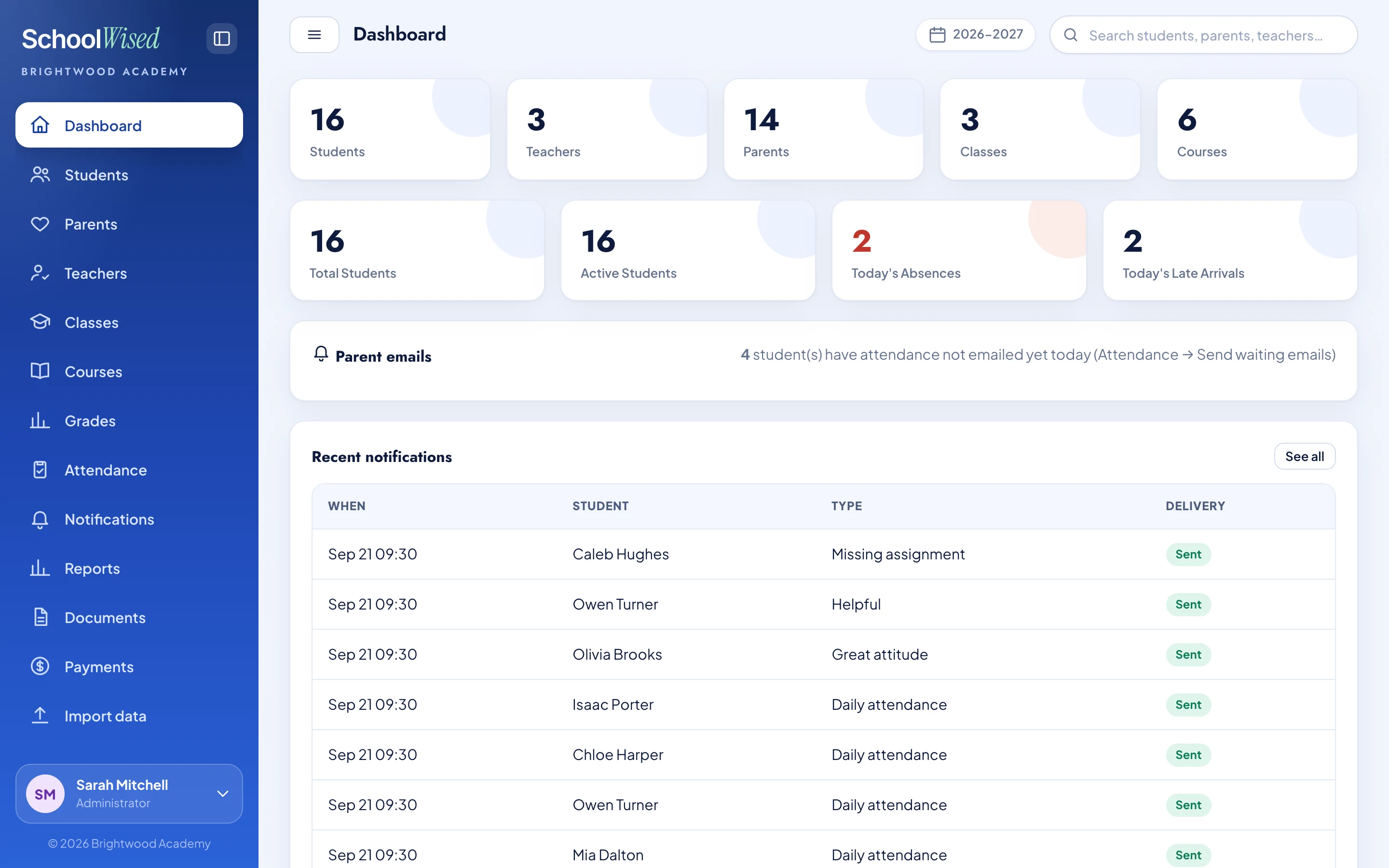
Five jobs. One dashboard.
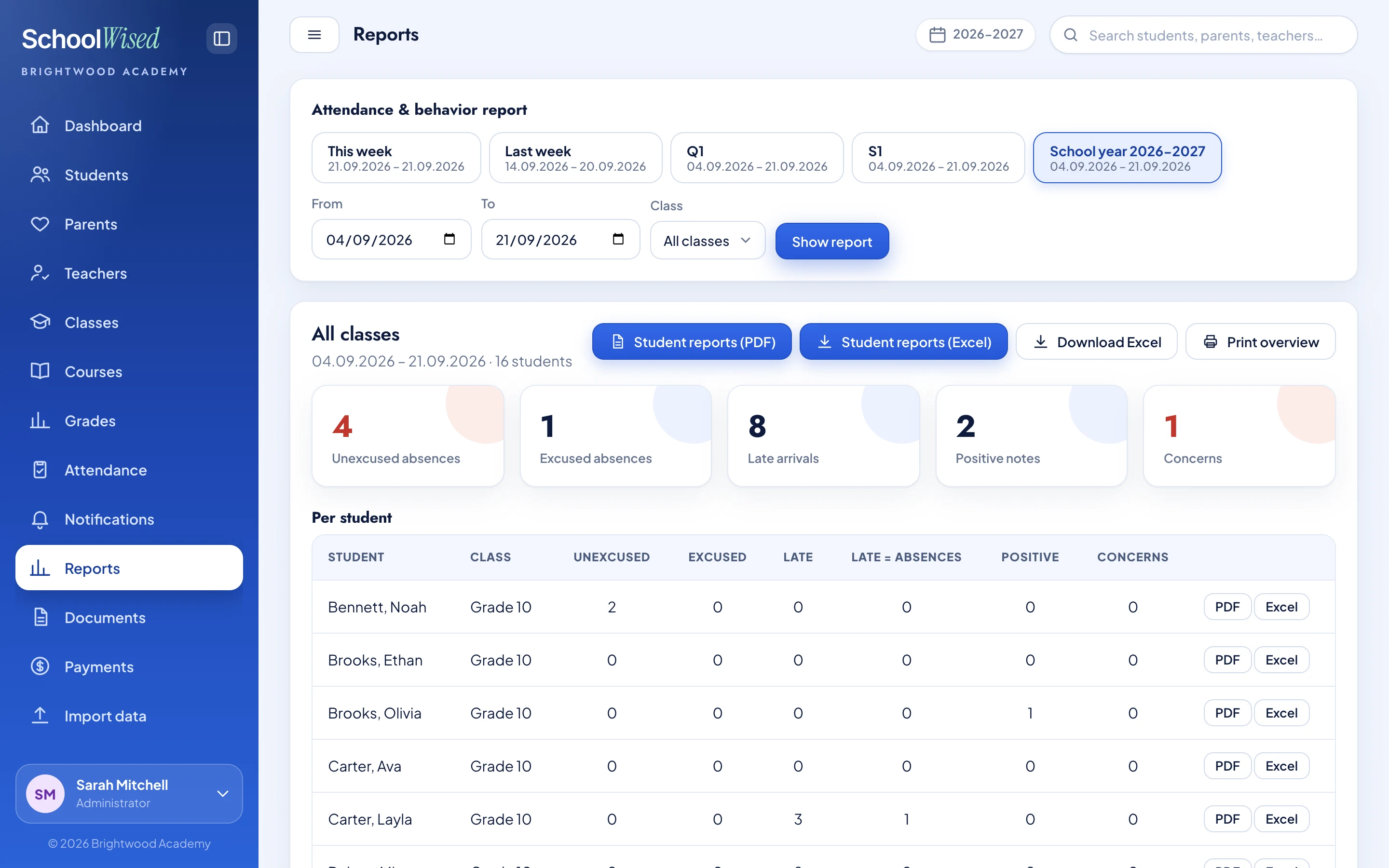
Attendance and behavior. One clear overview.
See absence totals, late arrivals, positive notes and concerns for any period you choose.
- Filter by class and date
- Export student reports as PDF or Excel
Turn classroom records into a picture the office can act on.
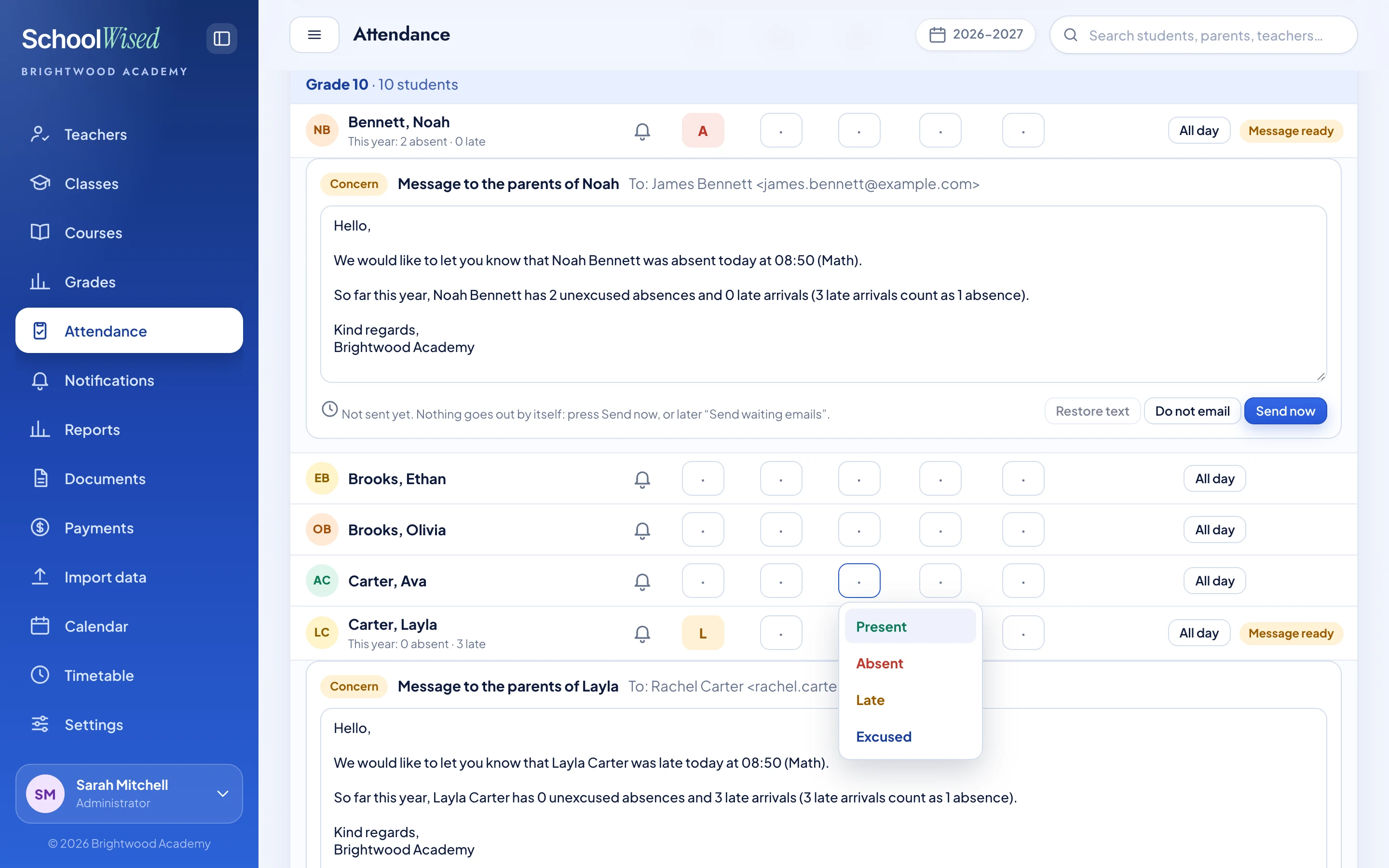
Attendance. Without the paper trail.
Mark students absent, late or excused in the shared class register. Everyone else is present.
- Track absence and late-arrival totals
- Prepare parent notices from the attendance record
Record it once, and every member of staff works from the same information.
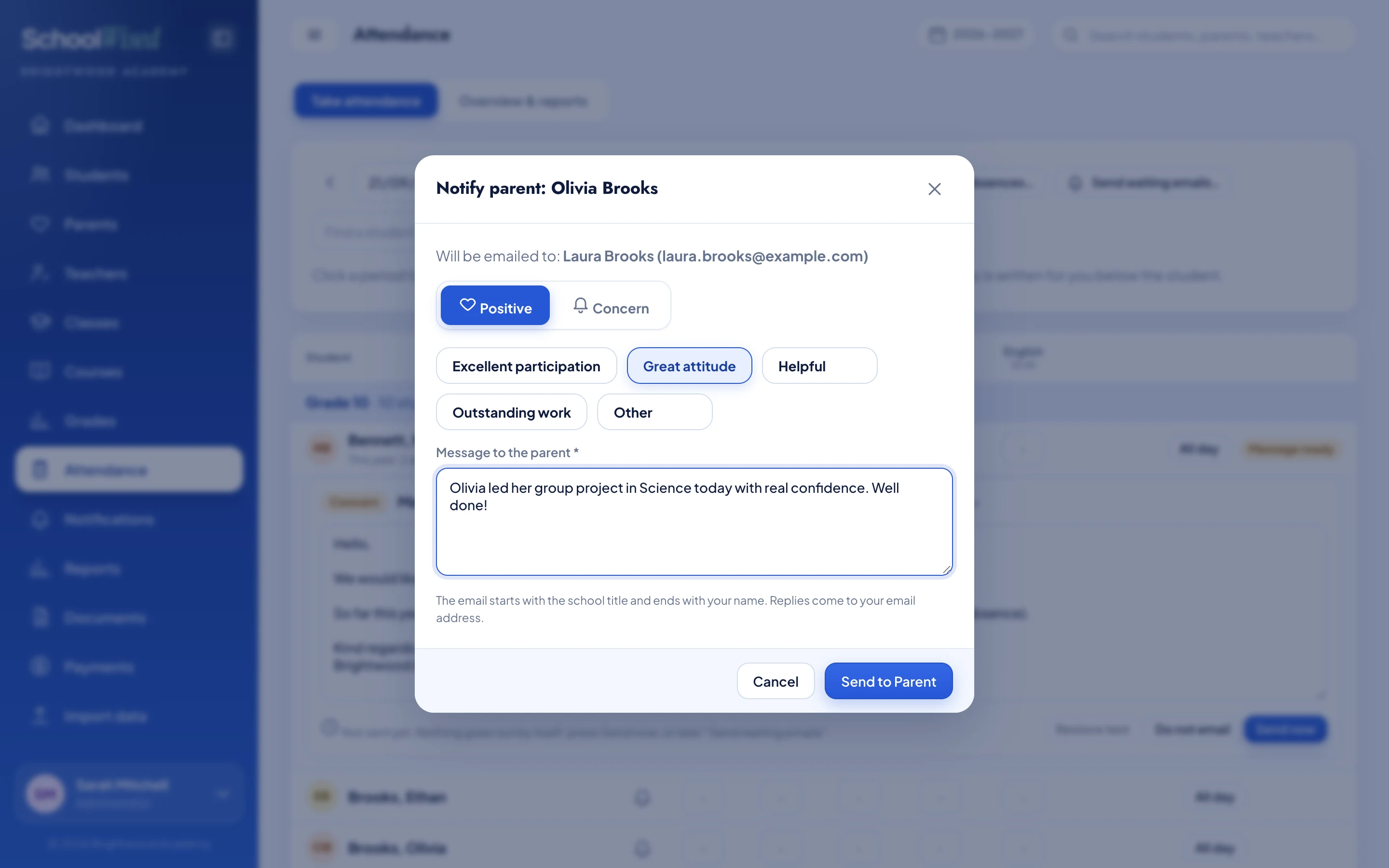
Praise or concern. Shared the same day.
Send parents a clear, personal update straight from the student's record.
- Choose positive feedback or a concern
- Review the message before it is sent
Keep families informed while the details are still fresh.
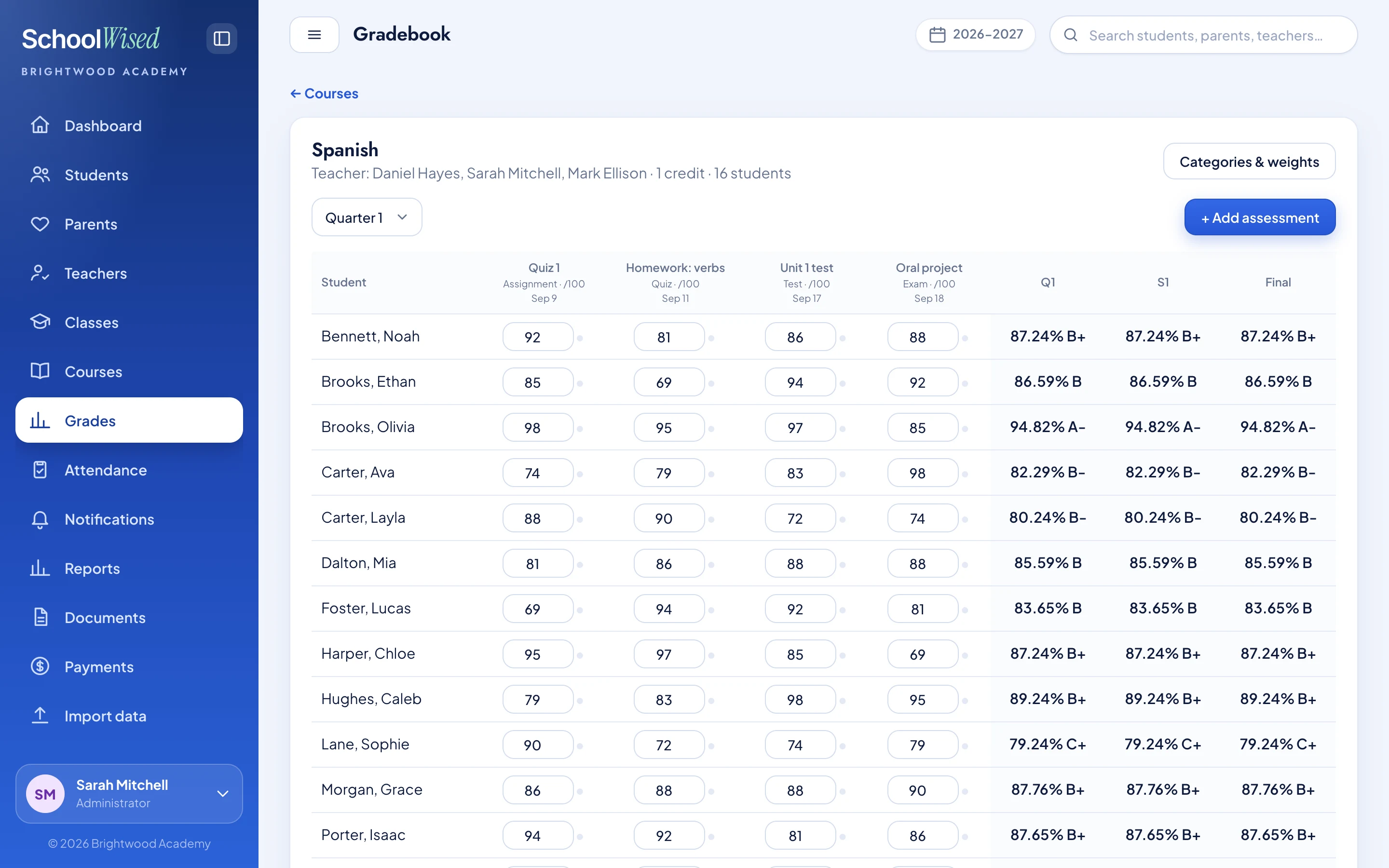
Less calculating. More teaching.
Keep assignments, assessments and term results together in one gradebook.
- Set categories and weights
- Review student grades across the term
Teachers see progress clearly, without rebuilding spreadsheets.
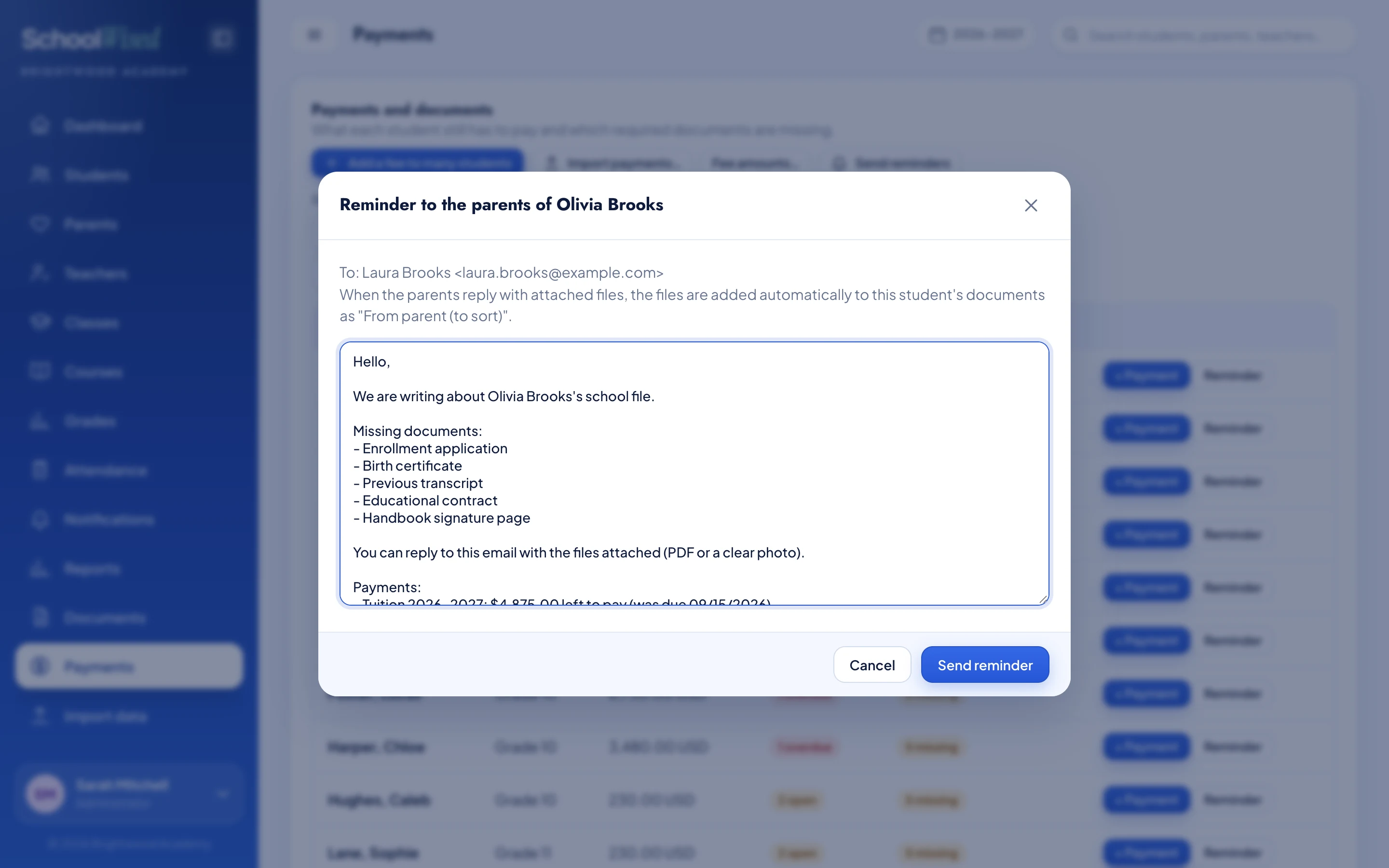
Know what's missing. Follow up in one place.
See missing school documents and unpaid fees, then prepare one reminder for the family.
- List the documents still needed
- Keep replies and attachments with the student
Less back-and-forth to complete each student's file.
Make it yours
Your school. Your way of working.
Add the features you need, then click through your sample dashboard. Tap a feature to add it, or drag it into the workspace.
Your selection is saved on this device. We tailor the final dashboard to how your school works.

Start with the work that slows you down.
These are starting points, not fixed packages. We map your school's day, choose the features you actually need, and agree on access and integrations before we set anything up.